
Georgi Tsaklev
Programmer struggling with artThe Cake is a Lie - Dev Log Five
GDD730 Dev Logs
Published on July 05, 2021
Week 5 is when all the materials came together (and had a party).
Shaders
This week my tasks have all been around the shaders for the different materials players will be able to change the environment to in Construct. Oh, did I mention that we finally chose a name for the game?!
Metal
This was the first time I worked with the new Unity Shader Graph (Unity, n.d.) as it is only available in Universal Rendering Pipeline and High Definition Rendering Pipeline projects. It is a tool for authoring shaders visually, seeing the results in real-time.
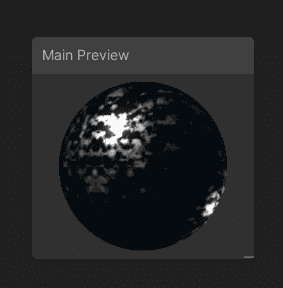
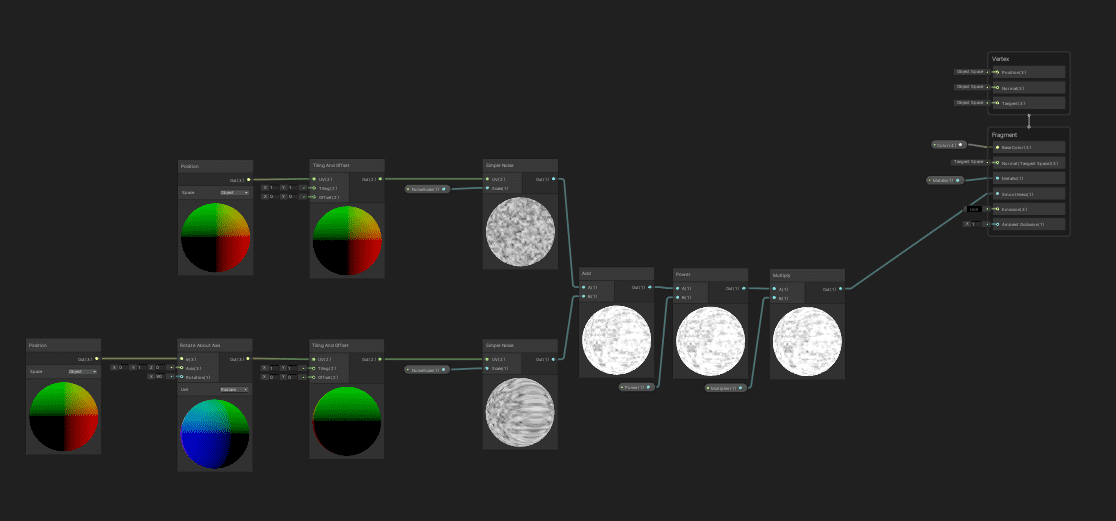
The metal shader was definitely the easiest one to implement due to the lack of moving texture - metal is fairly static and boring. I followed Licke's tutorial (2020) on creating a metal shader using the shader graph, which was a nice slow introduction to using the tool.
Cloud
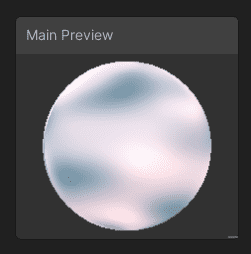
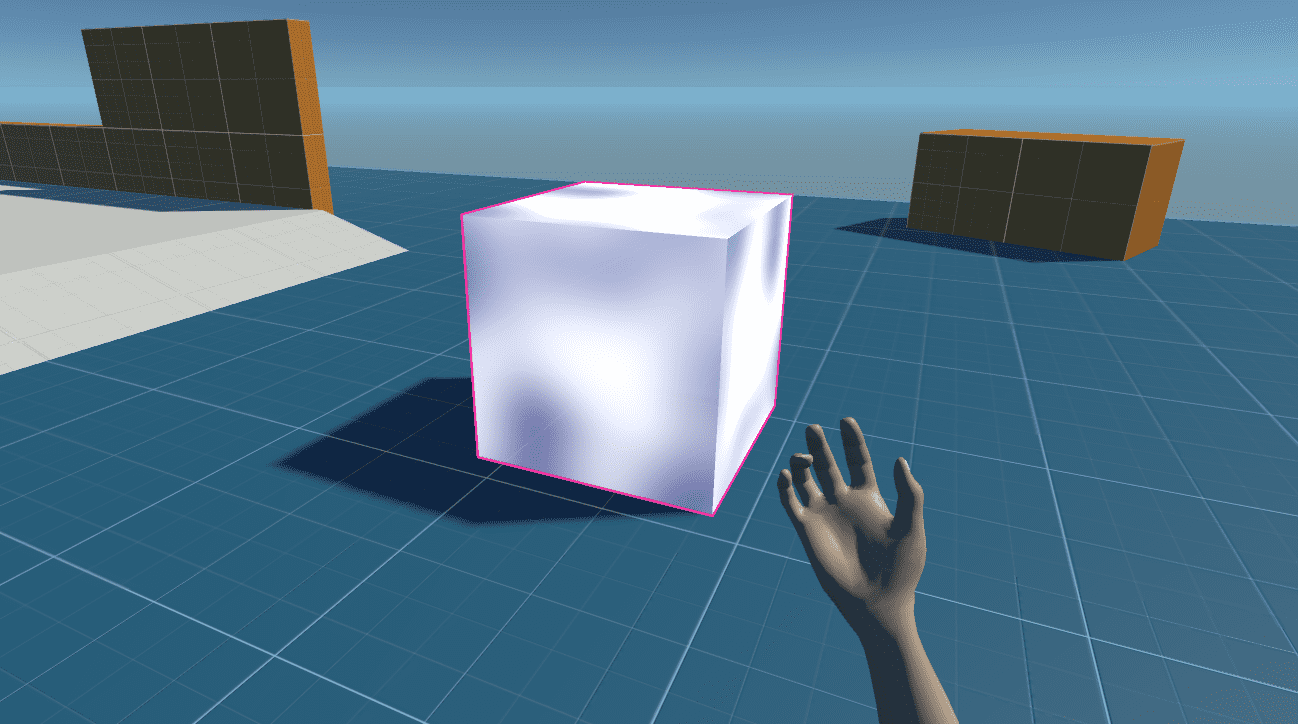
The cloud shader was much trickier to get right. Originally I tried following Licke's tutorial (2020) on the subject, however, it didn't look the same once applied to a cube.
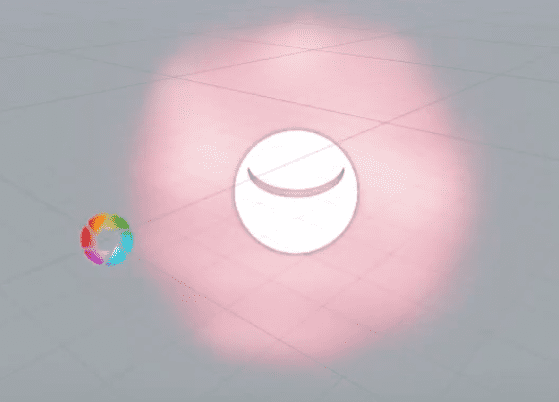
What I was missing is that the calculation from the Fresnel filter (Unity, n.d.) was based on the angle of the face compared to the camera. This meant that the whole faces of the cube were becoming transparent rather than having a fall-off within a face.
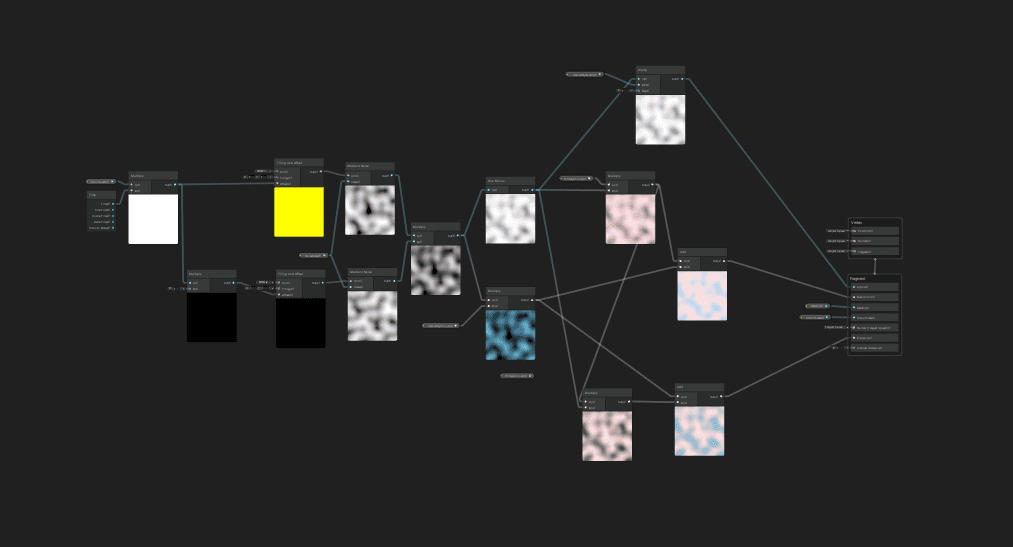
While trying to go around the issue I looked into generating volumetric clouds following the tutorial from Roman Papush on the subject (2019). However, before I finished the video I realised that it will become extremely difficult to replace a mesh with a volumetric cloud accurately. In the end, I put together a much simpler shader with what I've learned from the tutorials above. It is far from perfect, however, it serves its purpose and shall this project get funding there will be more time to spend on the problem.
Bouncy
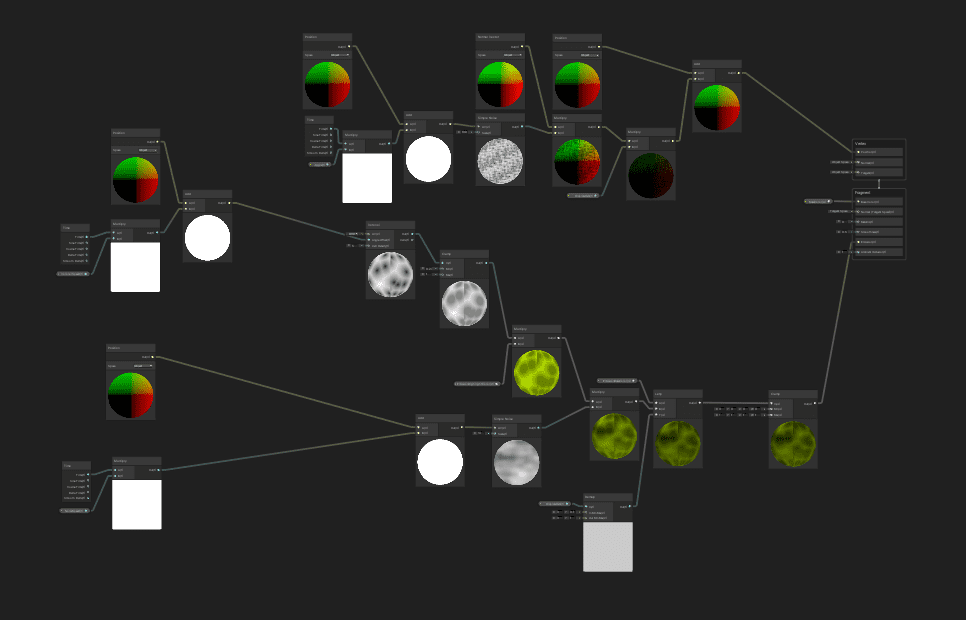
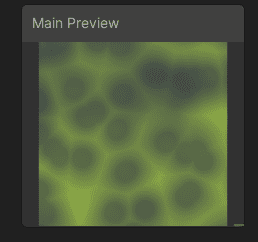
The bouncy shader was the most fun to make. I started with 2 requirements - to be green (I just like green and I think it fits) and to be wobbly. I followed the "Creating an Interactive Vertex Effect using Shader Graph" (Schell and Eng, 2019) on the Unity Blog website making changes along the way to make it look the way I liked it.
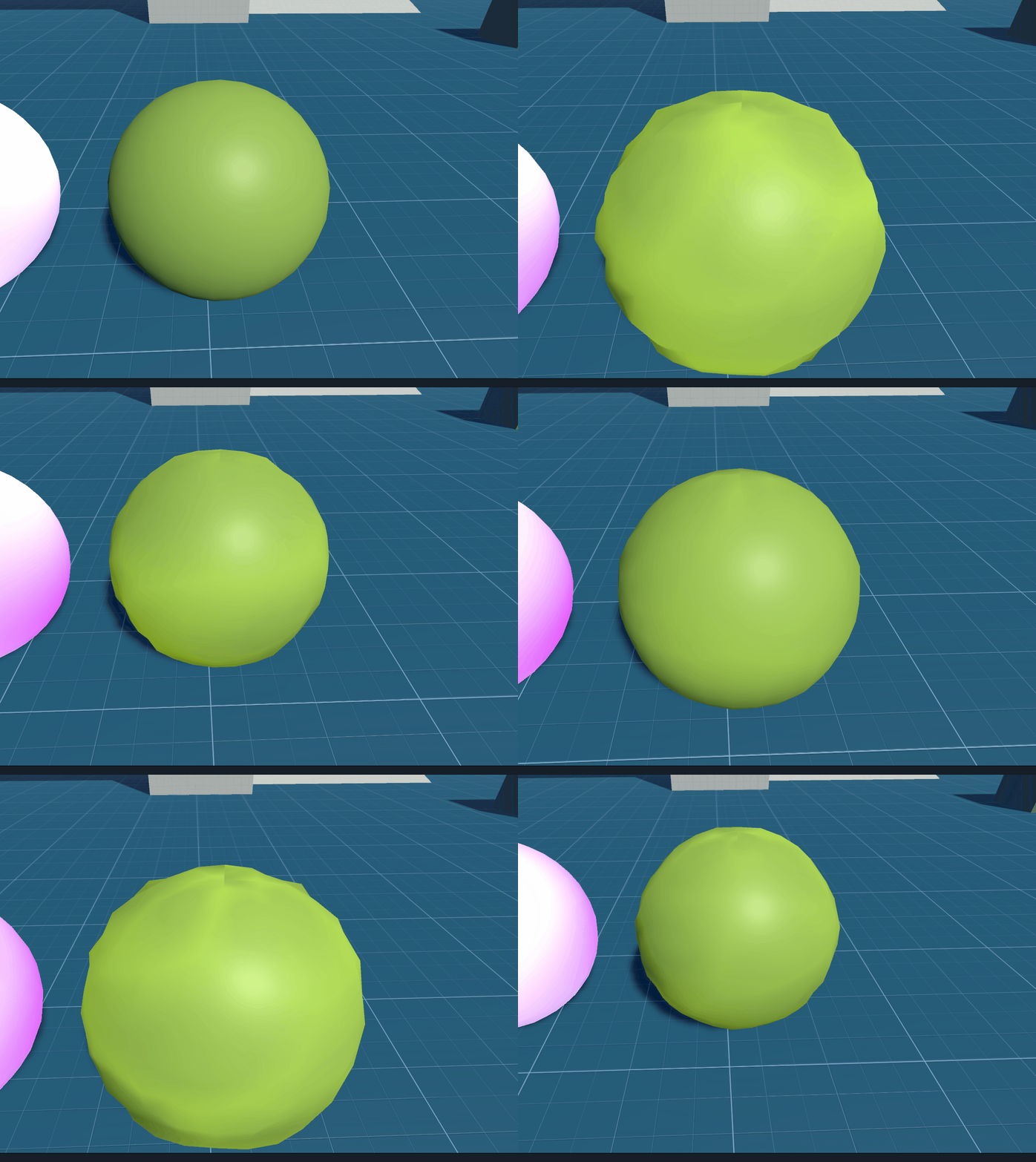
Afterwards, I created a small script that made it possible to "activate" the wobbliness of the shader when the player touches it and slowly returns it to normal. It added a lot of complexity to the material as now you have to have this script in place if you want the material to work, however, the result is extremely fun.
Now it is up to Luke Quinn to make the player bounce high!
Outline
The last material I was working on was the one for highlighting when the player is looking at an interactable object. This one was tricky, I had to have it on top of all other materials and I wasn't fully comfortable with having multiple materials on objects as it wasn't clear how exactly they interact with one another.
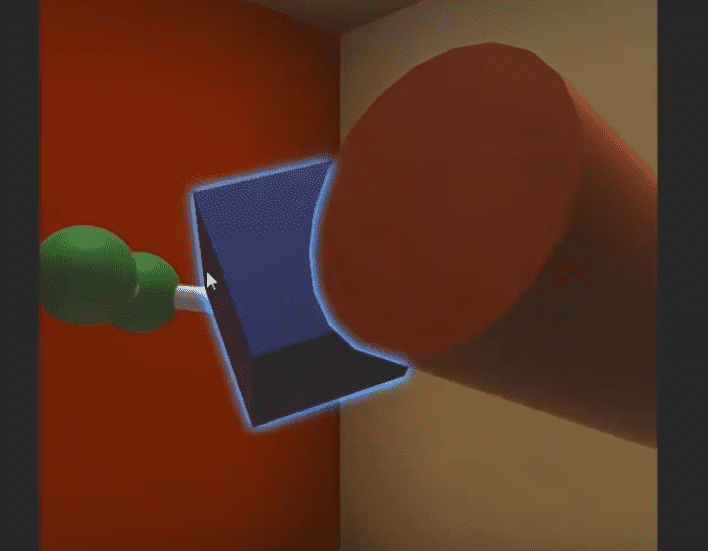
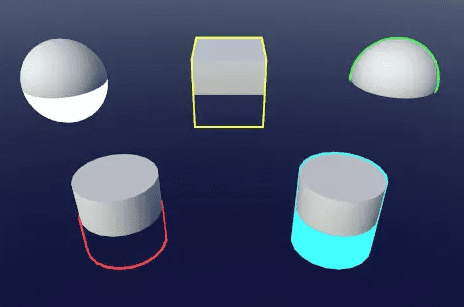
I looked at the "Shader Case Study - Glowing Object Outlines" by Makin' Stuff Look Good (Moran, 2017). It is an extremely interesting video talking in-depth on how this effect can be achieved, however, it all sounded a bit too much - it required logic that is unsupported by the shader graph.
And just before going to bed that night I stumbled upon some gold ...
There was a free asset on the Unity Asset Store called Quick Outline by Chris Nolet (2018). It comes with a small script that can be attached to any object and manages all materials it needs to achieve the effect. As simple as that this problem was now gone. This is definitely an asset I am going to reuse over and over again in future projects. I simply added a small extension script to make the effect breathe and we are all set.
System improvements
This week I've collaborated with Luke Quinn on a couple of systems that weren't working as expected and needed some rework.
Holding items
The ability to hold objects in the player's hands was one of the first features we implemented in the project. However, it had a general flaw - it kept the held object at a fixed distance from the player, allowing them to drop the object through walls or under the floor.
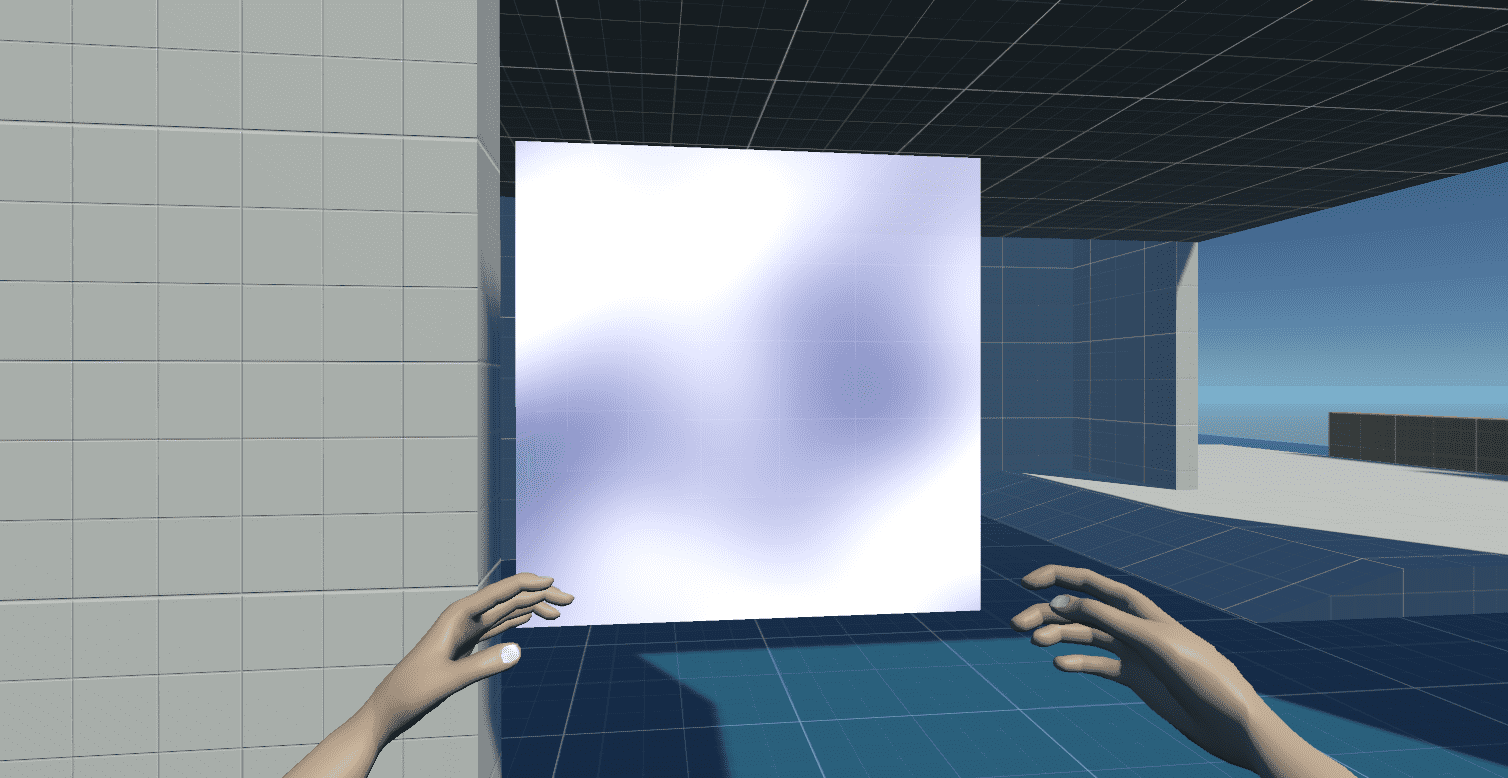
I've replaced the logic with a slightly more complex algorithm that keeps the object at a certain distance from the camera unless there is another object in the way. If there is another object, the held object is placed a tiny bit before that object to ensure the Unity Physics system would pop the object back towards the player instead of the other side of the wall.
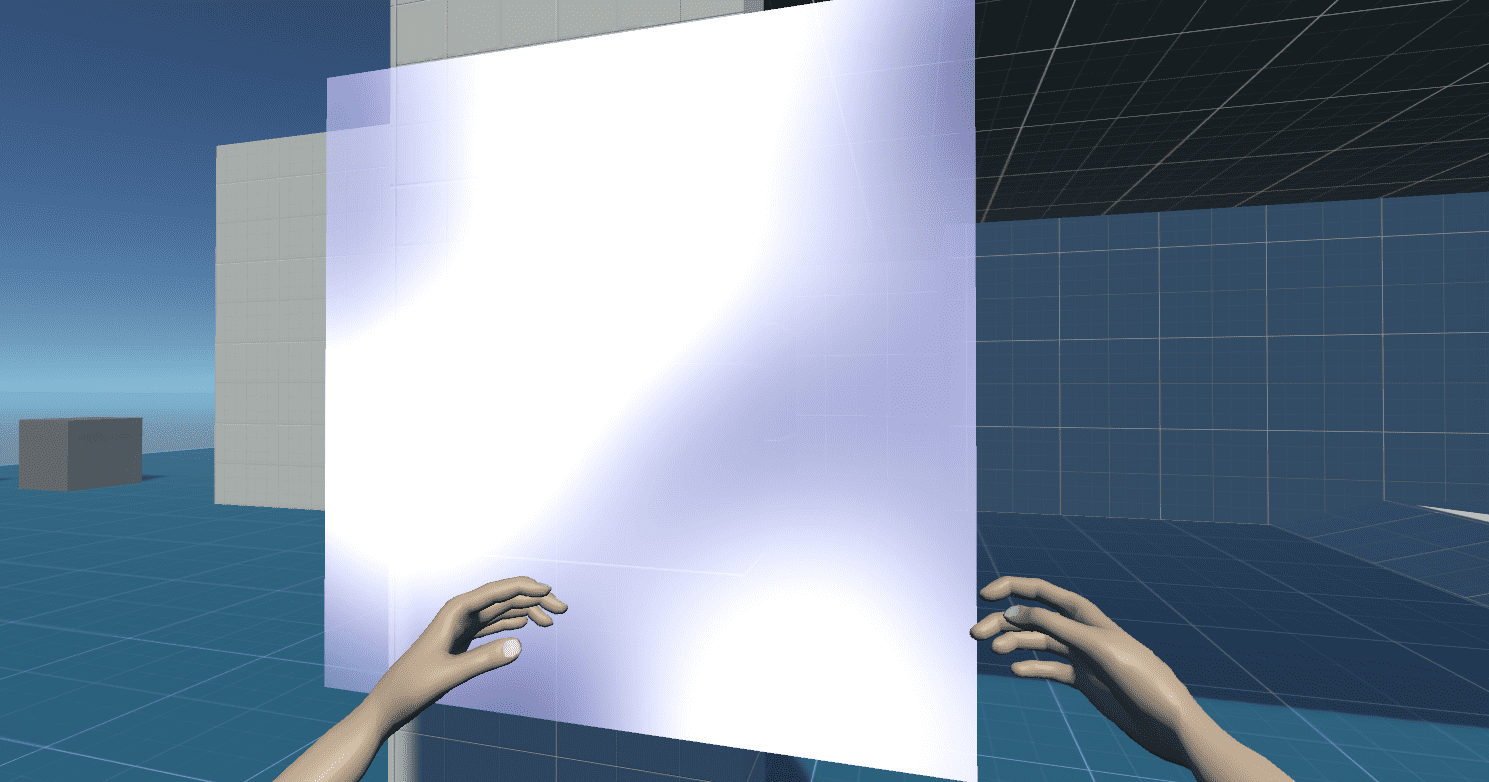
This small change to the logic made the system much more robust and it now feels much better when playing the game.
Material change system
The material change system was a brand new one rather than a system that needed improving. However, it was tricky to implement it in a way that made sense - is the player keeping track of which object is changed, are the objects themselves keeping track. Luke and I went through two or three different implementations over a couple of days until we reached the sweet spot with the current implementation.
The system consists of Ability Managers - one for each ability. They add a script to each changed object which allows other managers to remove previously applied abilities before applying their own. That of course is fully transparent to us - all we have to do is implement new managers and add them to the Player Character whenever the player gains said ability.
Retrospective & Planning
We've been busy. The team started slowly in the first 2 weeks of the course and picked up pace afterwards. Unfortunately, this meant we've been exclusively focused on gaining momentum with the prototype. We've missed all retrospective sessions we were planning to have until now. I've decided it isn't okay to wait for next week when we are supposed to have a scheduled one and added it to the agenda for the weekly Sunday meeting.
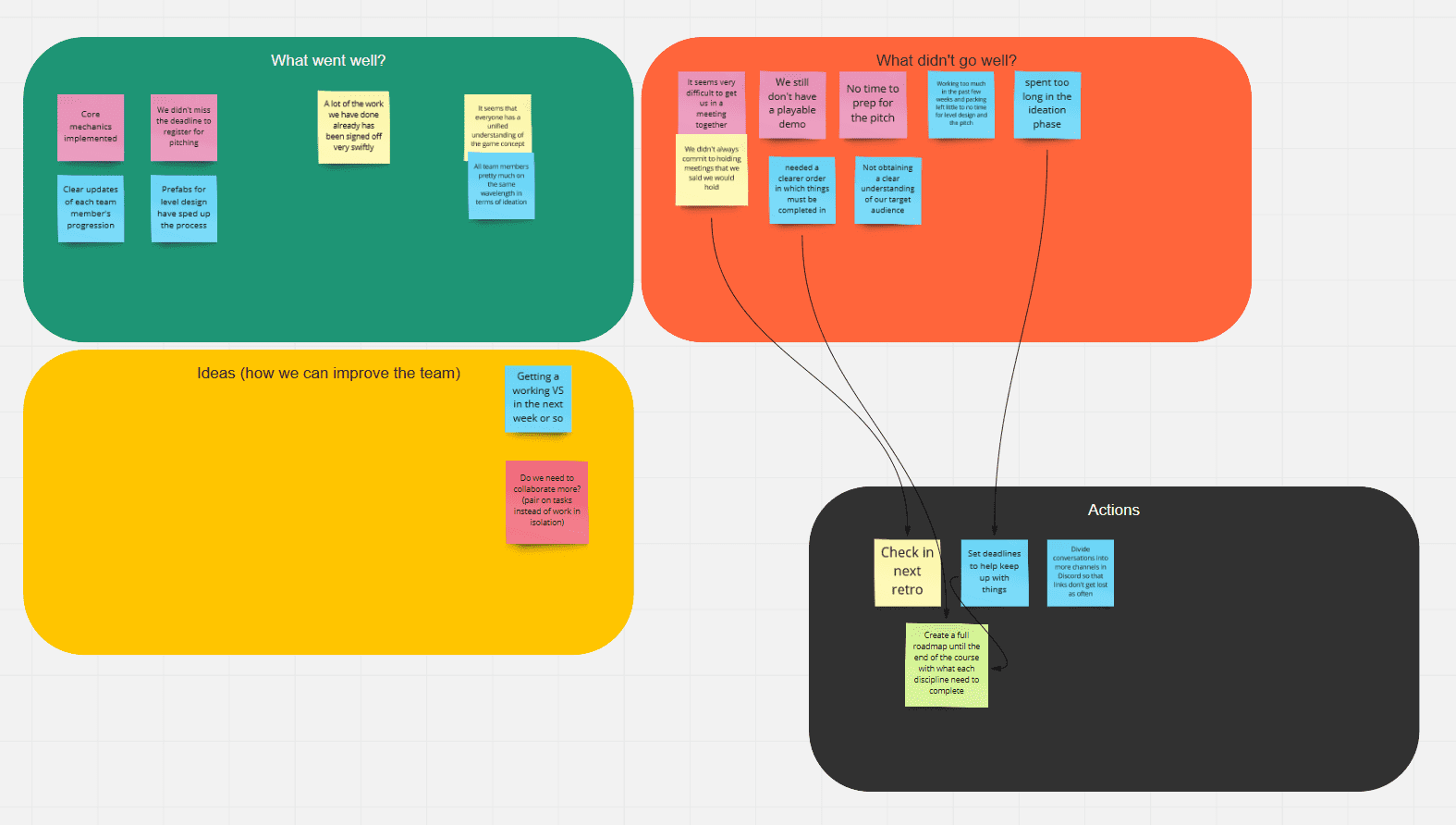
We've got a good number of notes written on the board and we all had similar topics in mind. While I don't want to devalue all other actions that came out, I think there is one that is vital to our success and present learning we can take further in our careers.
The negative experience we've highlighted was that we spent too long in the ideation phase of the project as well as that we needed a clearer order in which things must have been completed. Both of these relate to a thought I had earlier in the project but felt somewhat too much for the course at the time - having a full roadmap, from start to finish.
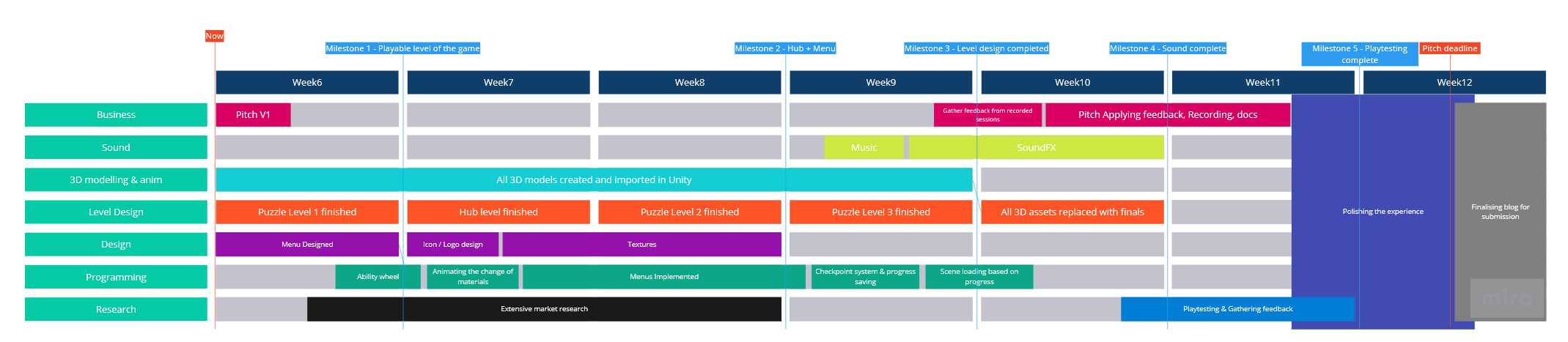
Since I was thinking about this problem I already had started creating a roadmap before our meeting. Once we finished with the retrospective we all went through the roadmap and completed any missing sections. The team ended the conversation pleased with the outline of the required work and agreed to check back on the roadmap every week. This will ensure we are aligned on what needs to be complete and we are focusing on the most impactful work.
References
Licke, 2020. Unity Metal Shader Tutorial: How to in Shader Graph without using any textures. [online] Youtube.com. Available at: https://www.youtube.com/watch?v=nUY0cgYQ-xo [Accessed 5 July 2021].
Licke, 2020. Unity Shader Tutorial: Fluffy Ball Shader [Clouds/ Cotton Candy/..]. [online] Youtube.com. Available at: https://www.youtube.com/watch?v=cUTgucRsOPY [Accessed 5 July 2021].
Moran, D., 2017. Shader Case Study - Glowing Object Outlines. [online] Youtube.com. Available at: https://www.youtube.com/watch?v=SMLbbi8oaO8&list=WL&index=4 [Accessed 5 July 2021].
Nolet, C., 2018. Quick Outline | Particles/Effects | Unity Asset Store. [online] Unity Asset Store. Available at: https://assetstore.unity.com/packages/tools/particles-effects/quick-outline-115488 [Accessed 5 July 2021].
Papush, R., 2019. Ultimate Clouds with Shader Graph in Unity, Made Easy [Tutorial]. [online] Youtube.com. Available at: https://www.youtube.com/watch?v=Y7r5n5TsX_E [Accessed 5 July 2021].
Schell, M. and Eng, S., 2019. Creating an Interactive Vertex Effect using Shader Graph | Unity Blog. [online] Unity Blog. Available at: https://blog.unity.com/technology/creating-an-interactive-vertex-effect-using-shader-graph [Accessed 5 July 2021].
Unity Technologies, n.d. Fresnel Effect Node | Shader Graph. [online] Docs.unity3d.com. Available at: https://docs.unity3d.com/Packages/com.unity.shadergraph@6.9/manual/Fresnel-Effect-Node.html [Accessed 5 July 2021].
Unity Technologies, n.d. Unity Shader Graph | Build Your Shaders Visually with Unity | Unity. [online] Unity. Available at: https://unity.com/shader-graph [Accessed 5 July 2021].
If you like it, share it!