
Georgi Tsaklev
Programmer struggling with artThe Cake is a Lie - Dev Log Nine
GDD730 Dev Logs
Published on August 02, 2021
Losing a team member
This week our UX Designer Mary decided to take a break from the course and continue in the future. This came as a surprise for the team. Regardless, we support her in her decision and wish her success in her future studies.
It is always difficult to lose a teammate. However, looking at the roadmap of the project, the most valuable pieces of design the team needed were towards the beginning of the course and hence Mary has already completed them. That gives me confidence that the team will manage to complete the prototype and finish the assignments. However, this doesn't mean that her help wouldn't have been valuable. Having another perspective when creating emotional content such as the game and the pitch video is invaluable.
I am sure we will do our best as a team and deliver.
Prototype polishing
Week 9 has been filled with a lot of stress and anxiety for me from my job, which has impacted my work for The Cake is a Lie team. Hopefully, my situation will improve, however, I still contributed to the prototype and made it feel more polished.
Button 2.0
Our buttons were very ... functional - made from coloured boxes. That made it stick out a lot in the new environments we have been creating. I took the new assets pack and recreated the button with them in order to make it feel more natural.
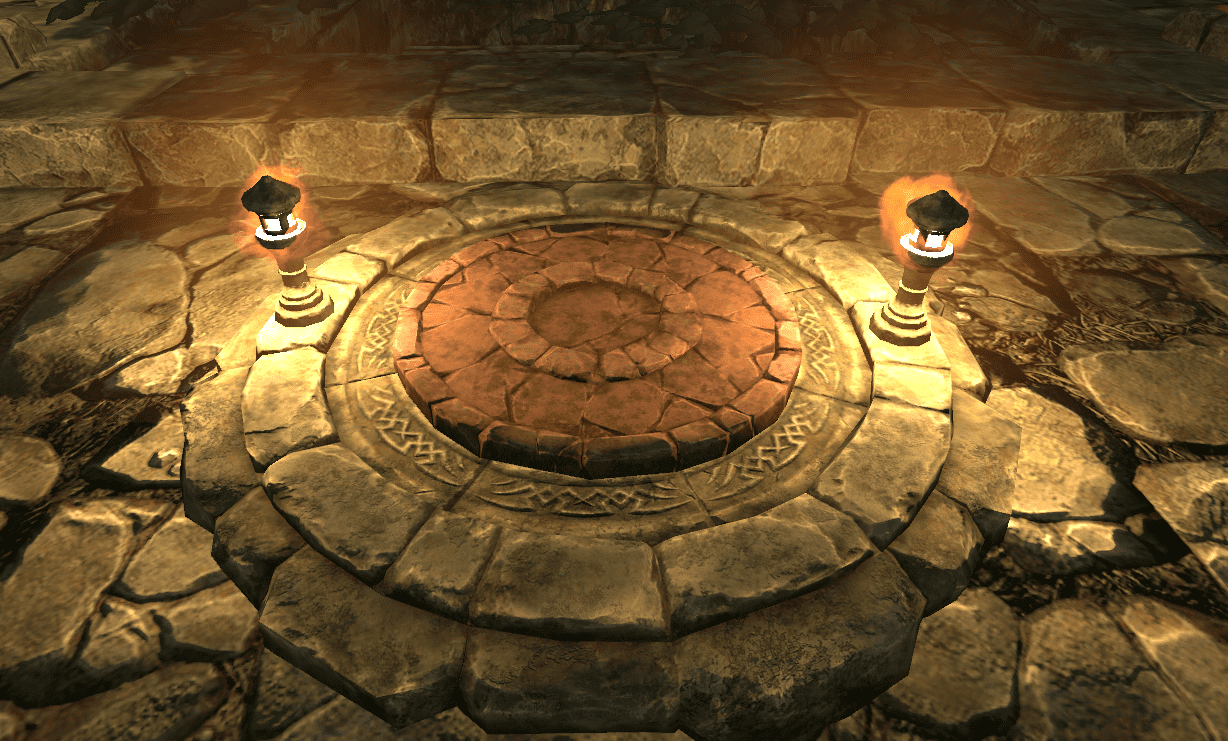
Additionally, our button had "debug colours" enabled. When pressed and released the button was changing colours so that it is clear what the code understands. I found that to be very useful and thought we can keep it as a permanent feature at least until a designer tells us otherwise. However, I changed the colours to fit more the environment and I think they look awesome! On top of that, I added a couple of lanterns next to the button to help navigate the player.
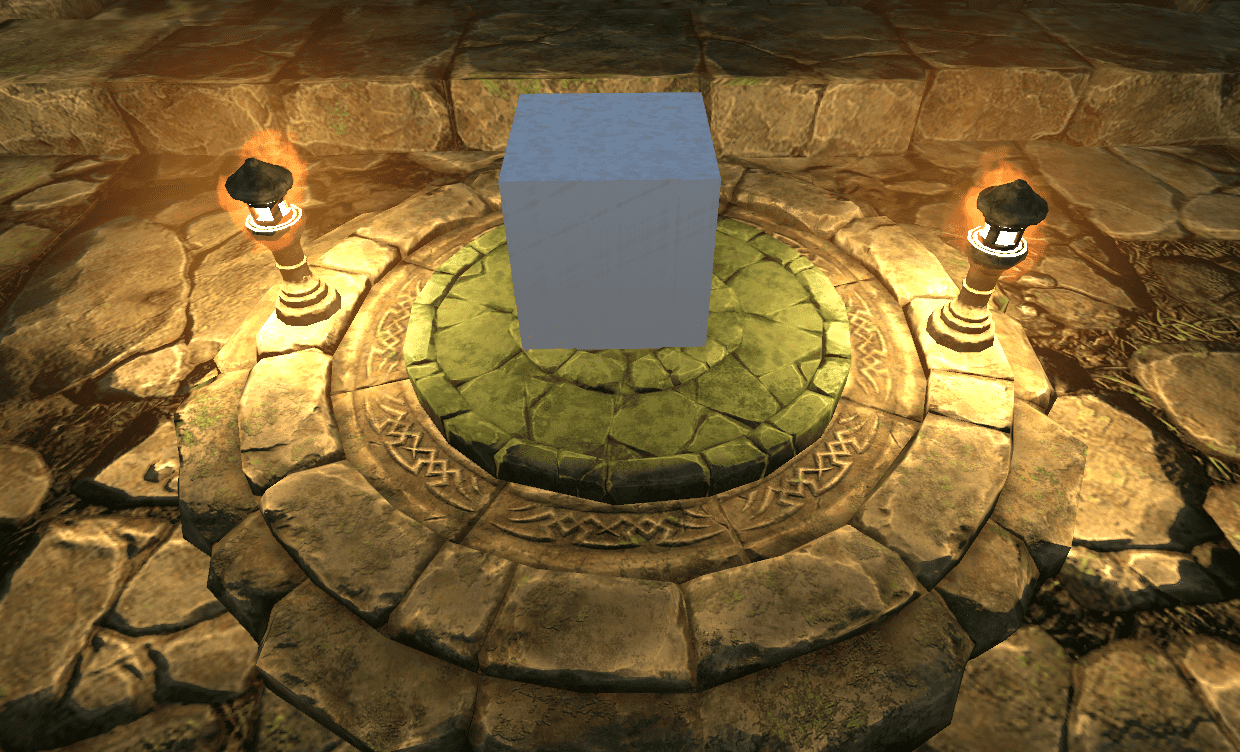
I experienced a significant setback when making the new button - I told GitHub Desktop (2021) to stash my changes, however, it removed the changes without stashing them. I hard to remake the button again. I don't fully understand what went wrong yet, however, I am going to research and experiment more when I have free time to make sure this doesn't happen again as it is very frustrating and can cost a significant amount of time to redo the work.
Movable Box 2.0
In all of our levels so far we have used a simple box for the objects that the player can interact with. Similarly to the button, they didn't fit in the world. I've replaced them with a big rock from the asset pack to make them feel more natural.
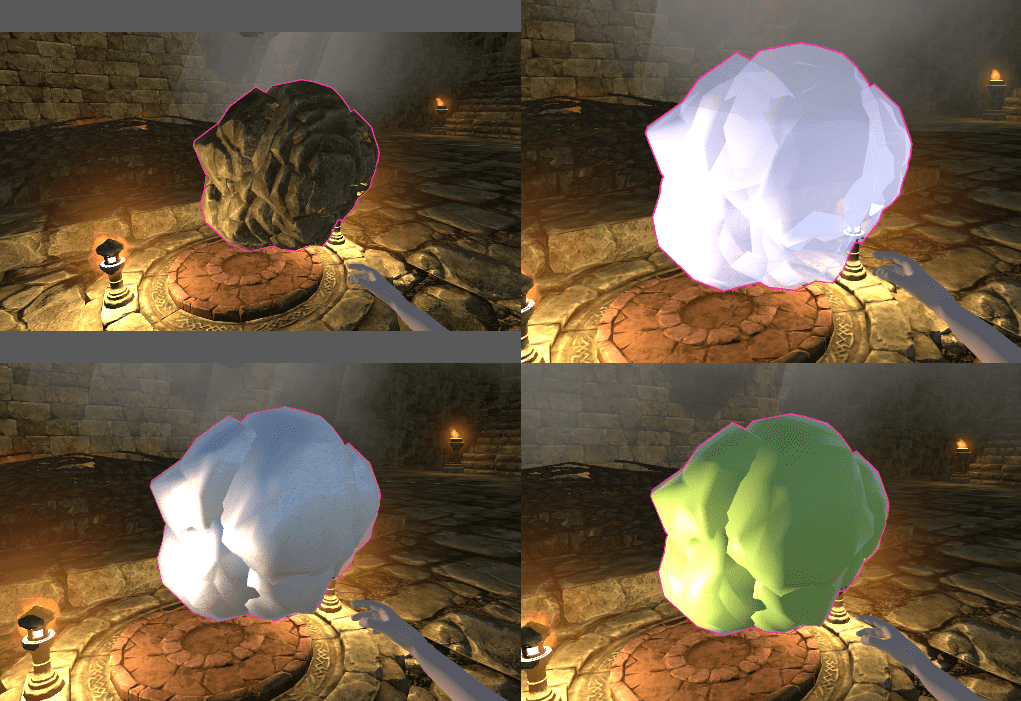
You might have noticed in my previous blogs that the material shaders don't look amazing when applied to a box. This is due to the shaders utilising the face normals of the objects and the box has only 6 of them. With the new 3D model, all of the materials look great without weird UV stretching or gaps between faces, both of which were problems observed before.
Animating the player ability
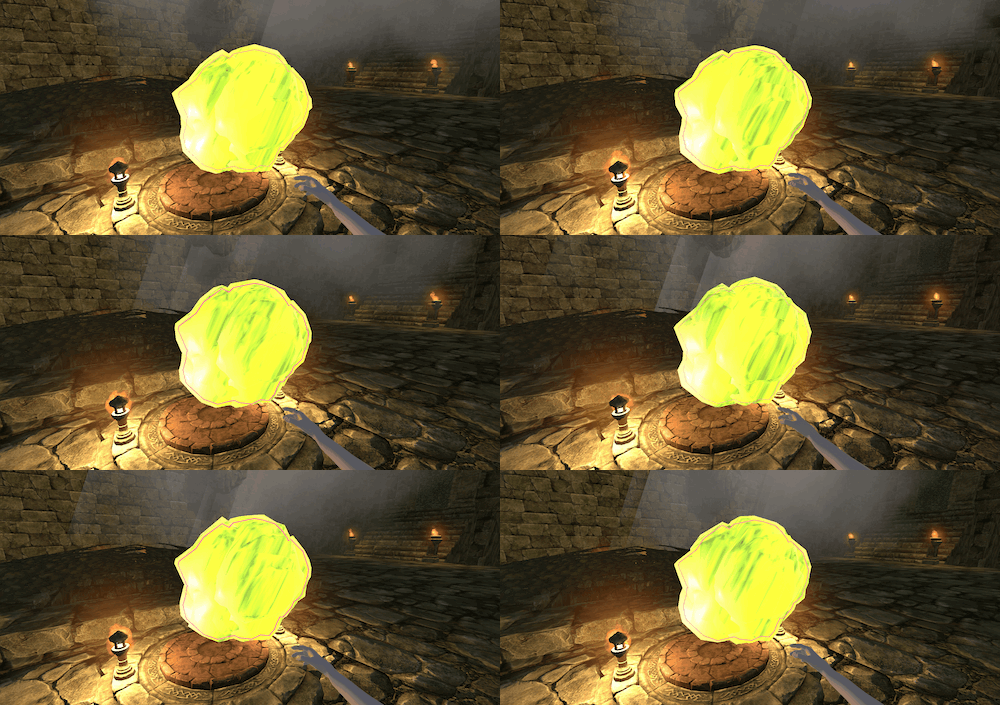
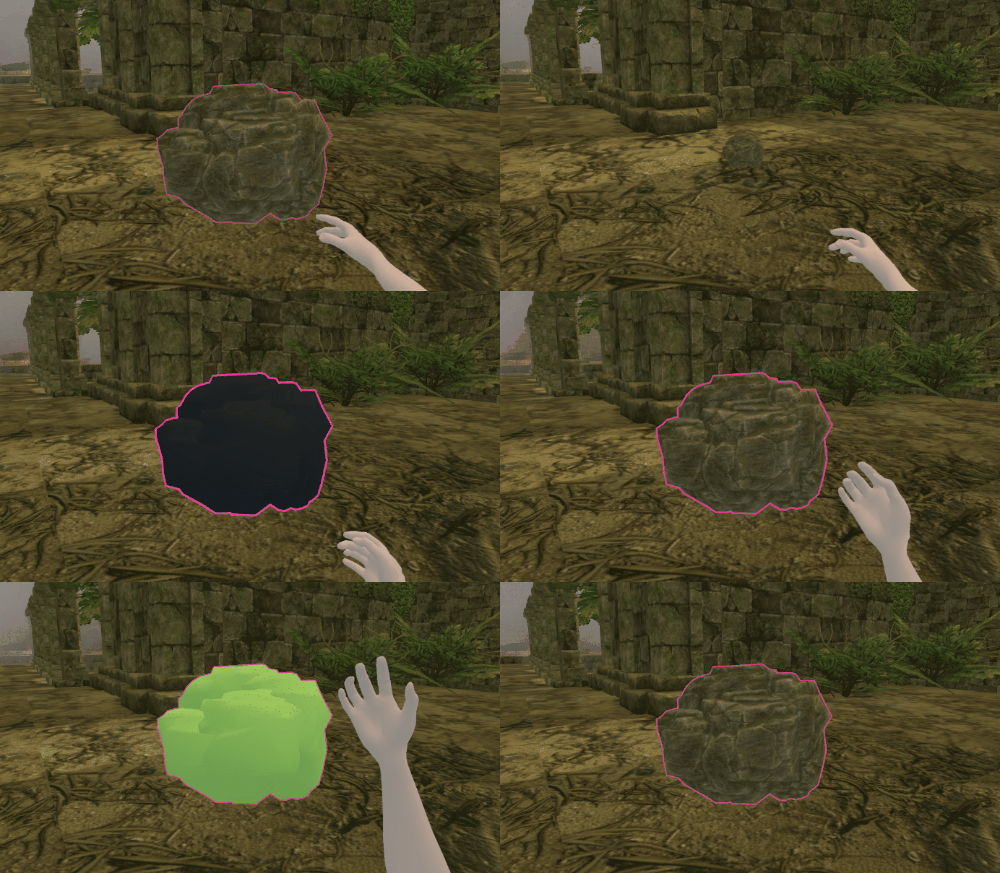
The final noteworthy change this week was the addition of an ability animation. So far the shader of the objects was changing straight away. It is an unnatural ability but felt raw and unpolished for a game. I've implemented a simple scale-down-scale-up behaviour every time a material changes on an object and it looks really good. The whole team loves it!
References
GitHub. 2021. GitHub Desktop. GitHub Inc.
If you like it, share it!