
Georgi Tsaklev
Programmer struggling with artThe Cake is a Lie - Dev Log Three
GDD730 Dev Logs
Published on June 21, 2021
Week 3 was when team The Cake is a Lie really took the batter and started cooking!
Teamwork FTW
This week the team really joined together and collaborated. We got the whole team on a call and spent just under 3 hours ideating together.
We started with the completion of the team charter document with finalised roles and goals for the sprint. Then we moved on to tackling the idea mess we had created in Miro. To achieve that feat Luke Perry collated all ideas and put them in a single clear document for us to review.
Earlier in the week, I had an epiphany. Our supervisor Giovanni asked us in the weekly meeting what our core mechanic, our hook is going to be. The team didn't have a clear answer to the question, mainly because our idea at the time was based around many different mechanics rather than a single one. I realised that this makes the game extremely difficult to explain concisely, let alone pitch. So while having dinner (good ideas come at unexpected times) I remembered a game called Ballance (2004). In it, the player controls a ball and is able to change the material of the ball between wood, paper and metal. This in turn changes the weight of the ball and how it can interact with the environment or vice versa. Taking that concept I quickly jot down some ideas:
You play as an adventurer who stumbles upon a magical temple and is forced to use the powers of material manipulation to solve puzzles and unravel the secrets of the world.
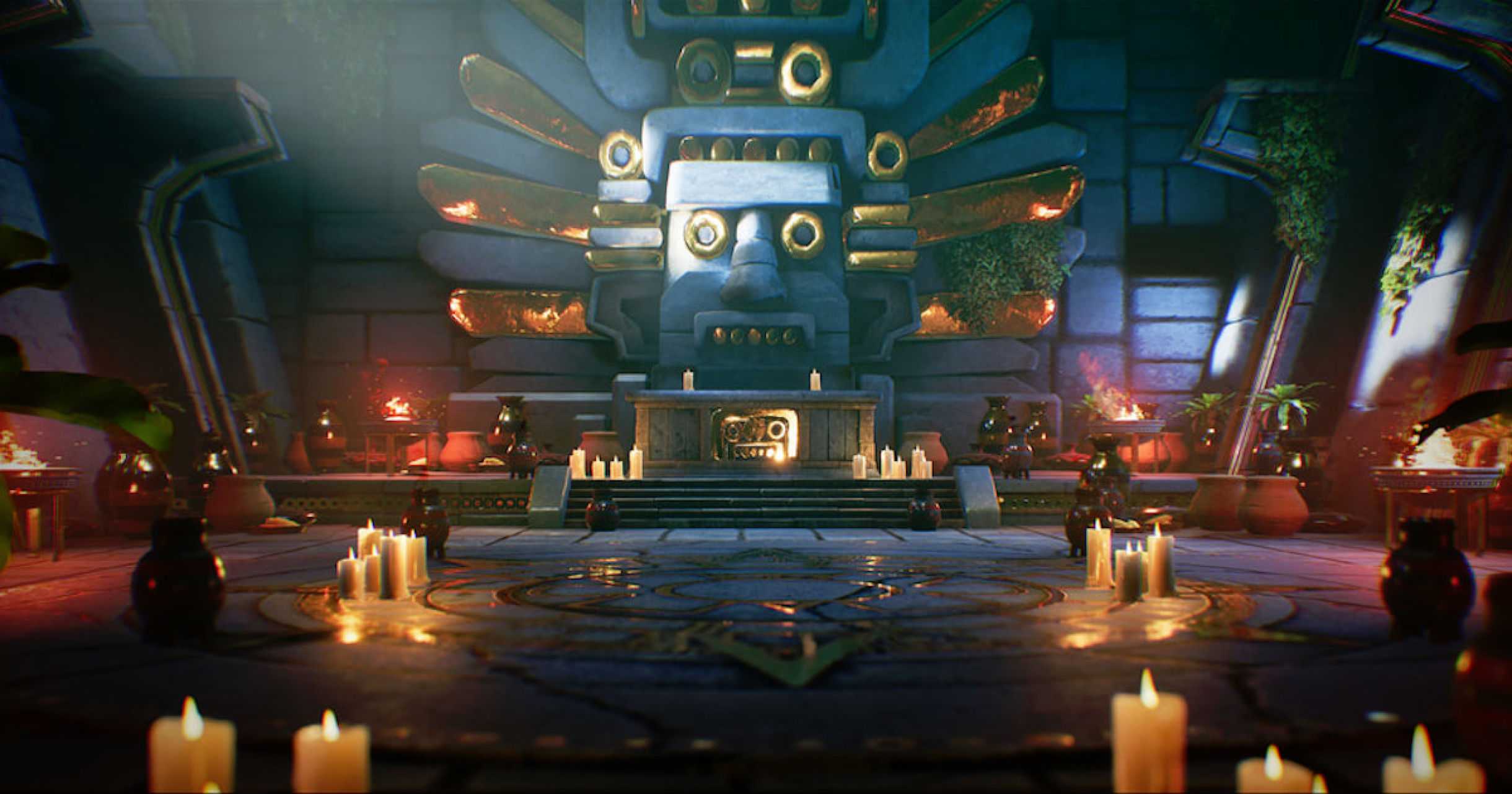
So simply put, I took away all separate mechanics of object manipulation and replaced them with a simple ability - changing the material of items. This ability can then be expanded almost indefinitely with new and creative materials for the player to unlock and explore the possibilities of.
With that idea added to our document, we went over every single point and decided whether it sounds like something we want to explore further or if it should be taken out of this project. I am really happy that the whole team liked my idea and put it forward as our final concept. This process left us with a clear definition of the game agreed by all of the members. With that, we are now able to start properly prototyping level design, character controller and core mechanics and experiment with them while others work on the art for the game.

The main learning from the situation we were in is that if a game is not easily summarised in a sentence then the concept is probably too complicated or inconsistent. Once we reduced the core mechanic to a single simple idea everything snapped into place. Additionally, I would like to reiterate my points from the previous dev log on the importance of everybody from the team being on the same page in terms of the game idea. It took us three weeks to finalise the concept of what we are doing, which is more than it should have been considering the duration of the project. It was partially due to the availability of the team, but a huge factor was the lack of common understanding of the ideas from the initial ideation which lead to confusion. This is a very important lesson not just for me but for everybody working on a new game.
We are in this together
This is the very first game-oriented project for our User Experience Designer, Mary. Anyone in such a situation would feel overwhelmed and wouldn't know where to start. Thankfully, she shared that with us and we jumped on a call to discuss things one to one. That way she wouldn't feel overwhelmed from having so many people with opinions in the call and discuss things in a more relaxed environment. We went over game development in general and what key roles would fit her discipline well.

.jpg)
I took the initiative to help her partially as I took the team leader role, but mostly because I have been working in teams for the past 10 years and have been in Mary's shoes before. Having this conversation also helped me realise that all those areas where Mary is going to be a key member are areas where I have been doing without much consideration in my games so far. I will use the opportunity of working in a team with her to learn as much as possible about UX for game menus and HUDs to improve my work on these aspects of my games.
Getting work done
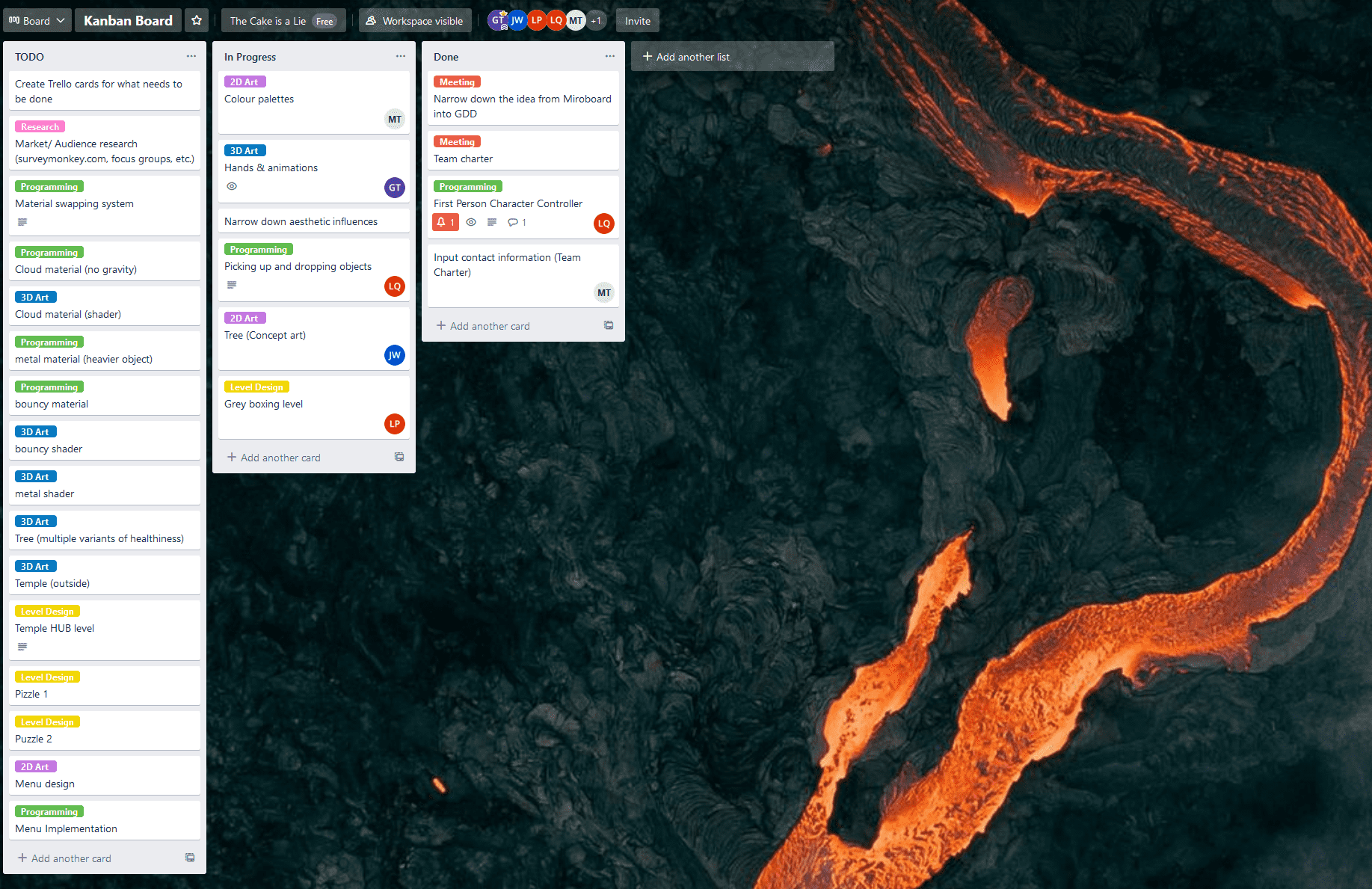
With the idea finally set, I kicked us off with some Trello cards. I focused on the core features that we need to play-test the mechanics. Additionally, I added some 3D art that we will need for the game but will be risky to leave until later in the project.
Last week I spoke about the Kinematic Character Controller I added to the project to kickstart and aid our implementation. This week, however, I found that Unity have released new starter assets on their Asset Store (Starter Assets - First Person Character Controller, 2021). These assets include a first-person character controller. Considering that our game won't include any special requirements for the player movement it makes more sense to use that implementation instead. I shared the resources I found with Luke Quinn, one of our programmers on the project, and let him try it out and check which is a better fit.
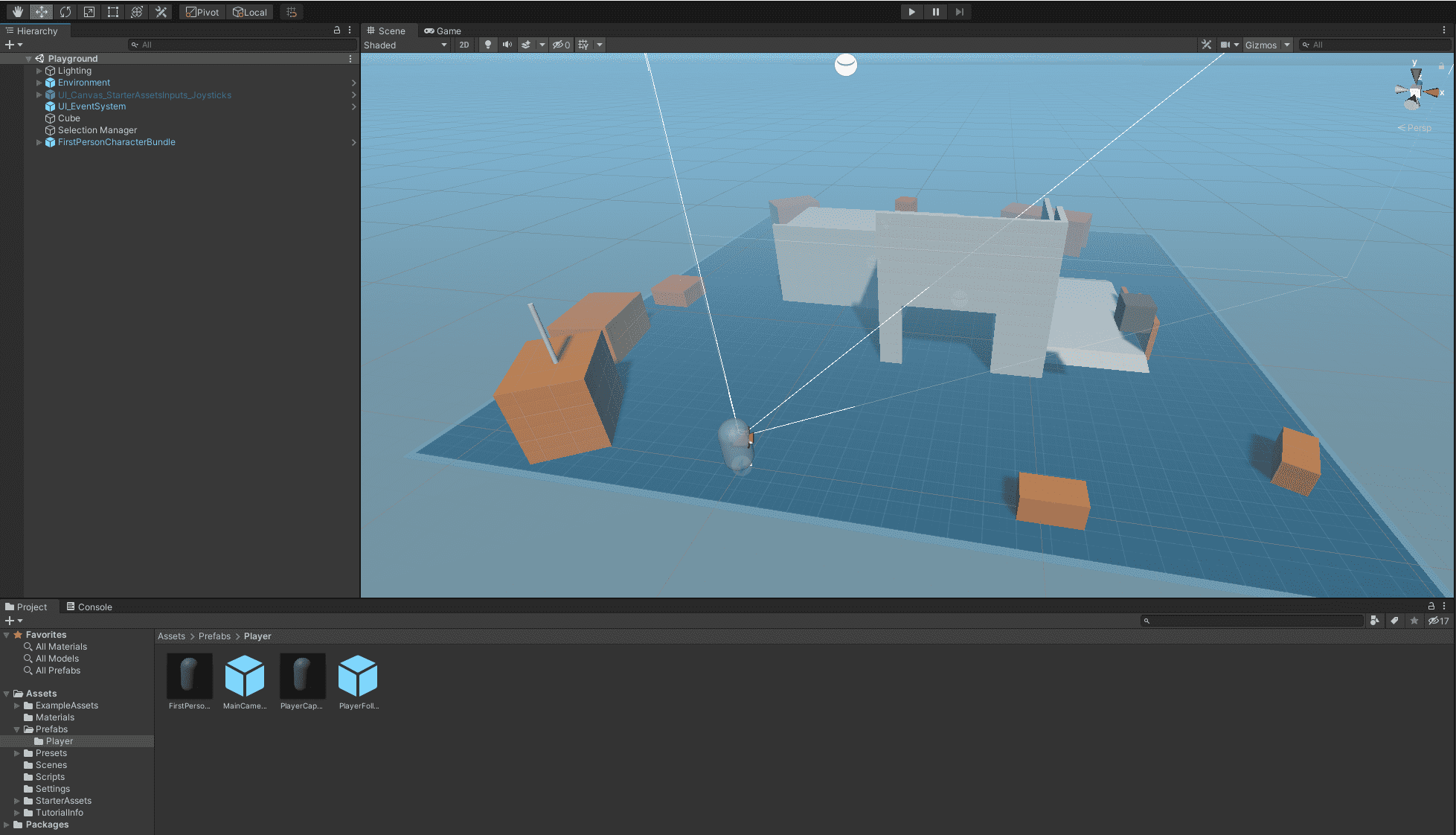
When utilising a paid asset for the first time and finding there is a better solution for you is a little demotivating, however, the Unity starter assets still use the build-in Character Controller component which has its issues. I feel that there will be projects where the Kinematic Character Controller will come into use, however, there is a lesson to be learned here. I spent money on an asset I thought would be useful without a clear project in mind. This practice can threaten a production project, so I need to adjust and always focus on a specific problem I am trying to solve when browsing the asset store.
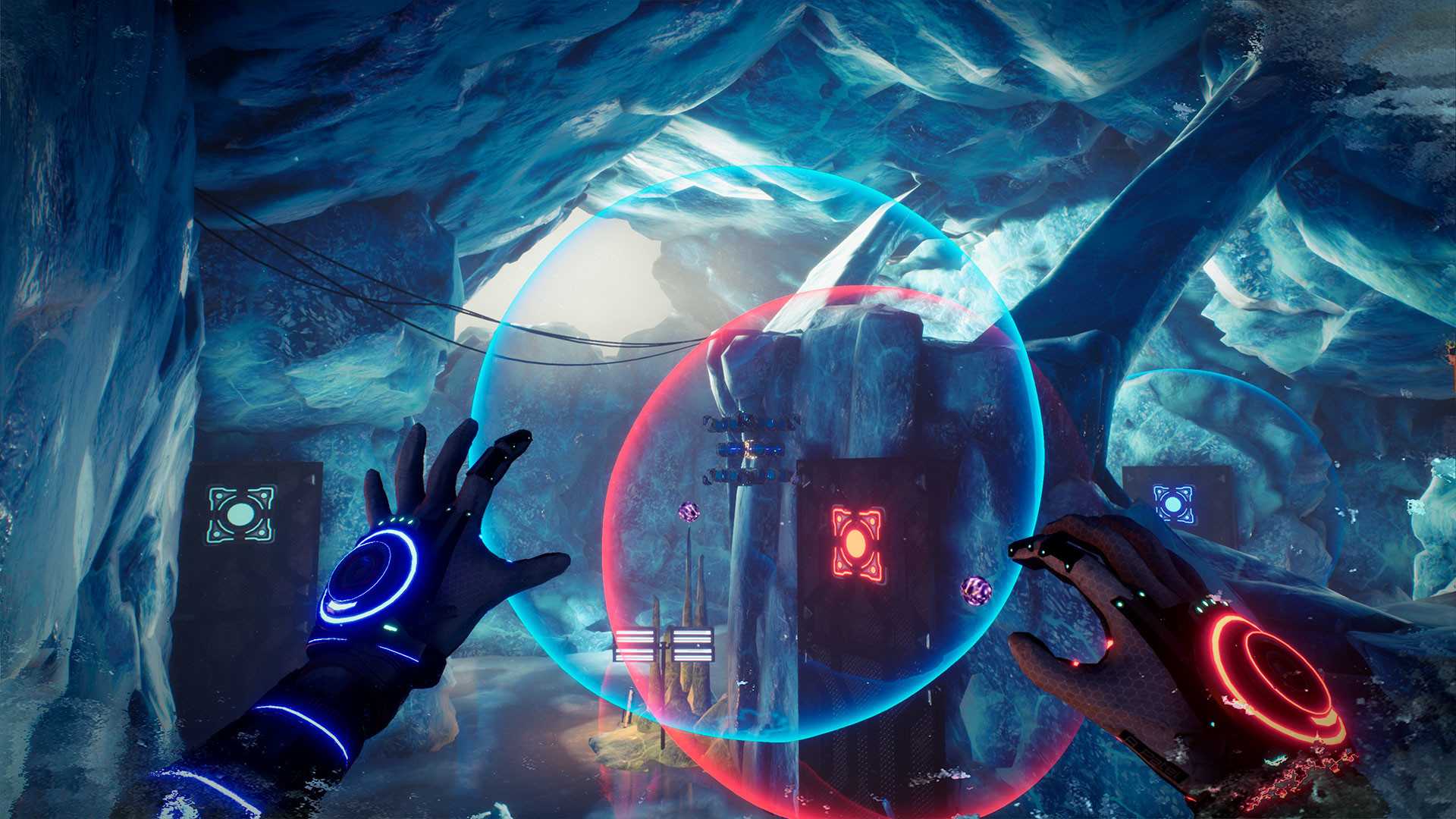
My first task for the development is to create, animate and integrate first-person character hands. A rather large task for a newbie in that area, but fun nonetheless. Since I was catching up with the development logs I had little time to make significant progress, however, I researched how other game developers have done the same.
I've started my research by playing Portal 2 (2011). While the game is very similar to the style of game we are making, the character is using a gun instead of their hands. This made it a poor reference for what I need to create. Next, I picked up a game called Relicta (2020) on Stadia (it was 50% off!). It had a very similar feel and the character was using gloves instead of a gun to interact with the world. Unlike older games, Relicta was keeping the hands more towards the side of the screen, which is a bit more realistic. Lastly, I checked out Phantom Abyss (2021). It is a brand new indie rogue-like game. It had another interesting idea up its sleeve - the hands are only showing when holding a whip or when the character is moving. This makes the animations a little more believable as humans don't keep their hands in front of them when standing.
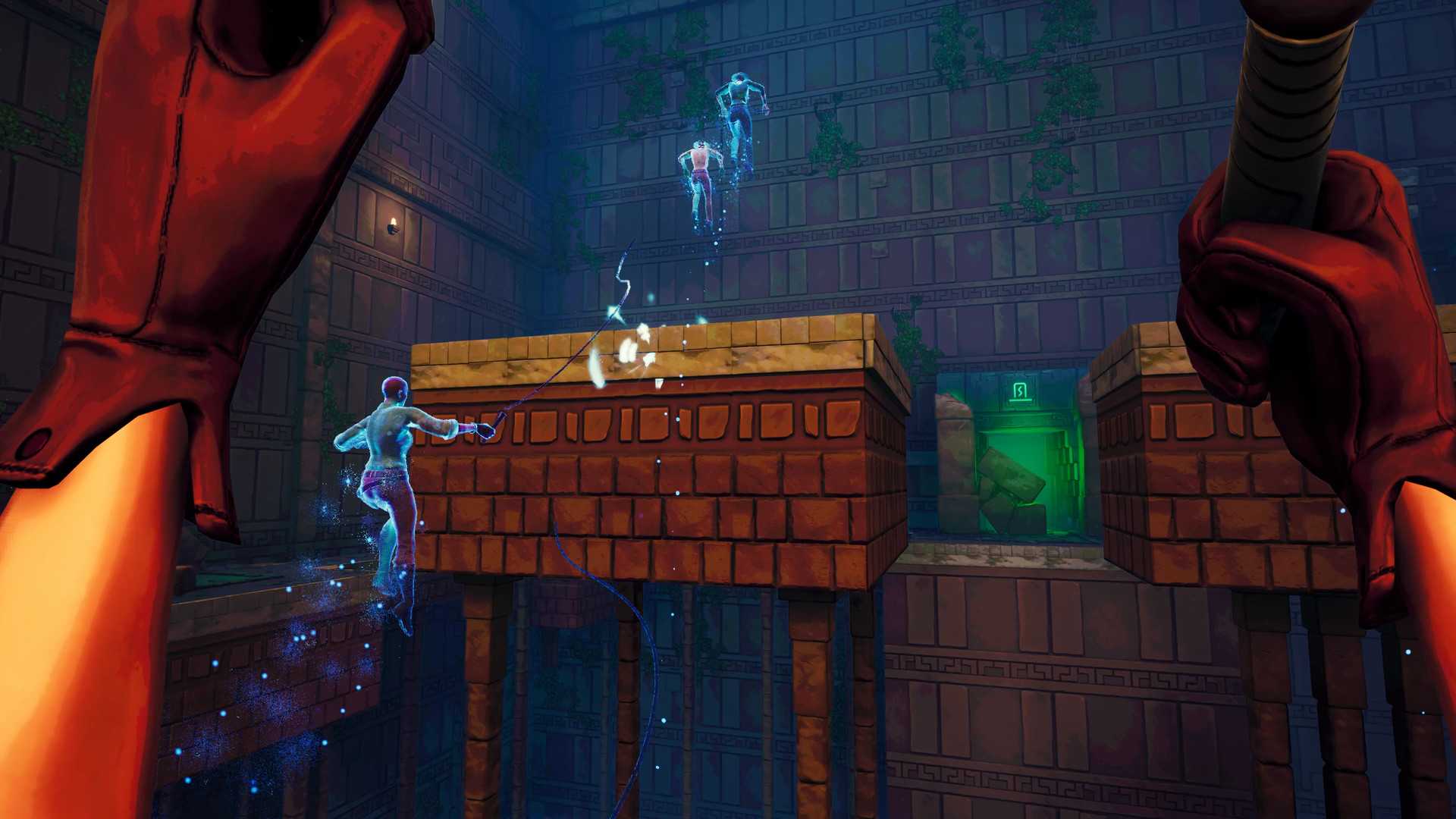
With these references in place, I feel ready to start modelling and animating. I am sure what I create isn't going to be perfect and will need further work, but it is going to be a solid first iteration.
References
Ballance. 2004. Cyparade. Atari.
Miro. 2021. Miro | Online Whiteboard for Virtual Collaboration. [online] Available at: https://miro.com [Accessed 21 June 2021].
Phantom Abyss. 2021. Team WIBY. Devolver Digital.
Portal 2. 2011. Valve.
Relicta. 2020. Mighty Polygon. Ravenscourt.
Unity Asset Store. 2021. Starter Assets - First Person Character Controller. [online] Available at: https://assetstore.unity.com/packages/essentials/starter-assets-first-person-character-controller-196525 [Accessed 21 June 2021].
If you like it, share it!